BackgroundHotkeyThing
BackgroundHotkeyThing is a tiny native Win32 tray app that cycles desktop wallpapers from a folder.
Global hotkeys. Favorites. OptionalNSFW\vault. History that can walk home. Settings that stick.
No Electron. No installer. No cloud. One exe, one folder of images, done.
Built for people who hate Windows’ slideshow the way audiophiles hate bad ASIO — with opinions, and a keyboard.
Live in the tray
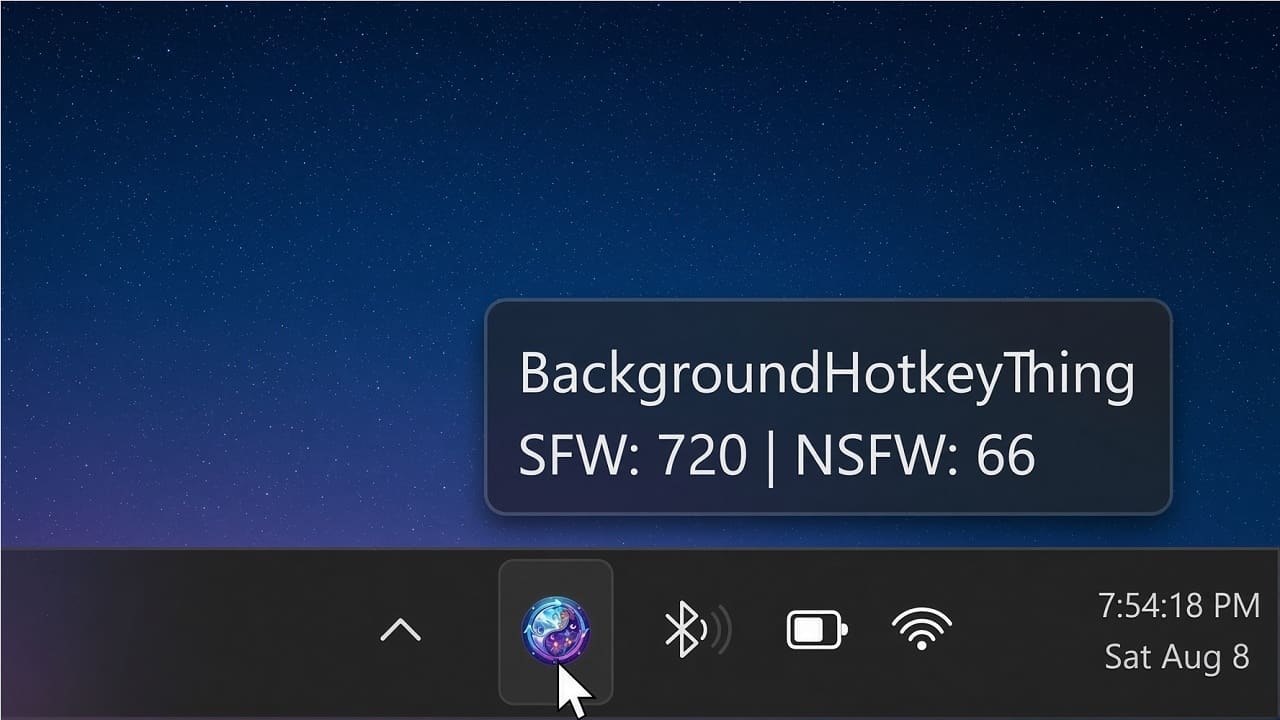
Hover: SFW / NSFW counts.
Right-click: full control surface with checkmarks and hotkey hints.
Second launch: “already running” — because two wallpaper gods fighting is comedy, not a feature.

What can it do?
- Scan a folder for png / jpg / jpeg / bmp (optional nested
NSFW\library)- Random next with recent-exclude so you don’t see the same shot twice in a row for no reason
- Hold Win+Shift-N / B to keep cycling at a sane rate
- History — walk back ~50 steps; step off the end and you’re on the wallpaper you had at launch
- Favorites — upsert-to-top, auto-save to ini (no “export or cry” ritual)
- NSFW modes — Off / Combined / Only via one hotkey
- Autosave settings — pause, mode, favs-cycle, toasts
- Open in Explorer · hide desktop icons · single-instance mutex
Hotkeys
- Win+Shift-N / B — next / previous (hold to cycle)
- Win+Alt-P — pause auto-rotate
- Win+Shift-X — NSFW Off → Combined → Only
- Win+Shift-L — favorites-only cycle
- Win+Shift-A / C — save / clear favorites
- Win+Shift-Z — toggle desktop icons
- Win+Shift-O — open current image in Explorer
- Win+Alt-N — toast notifications
- Win+Alt-Q — quit
Under the hood (for the curious)
Single
main.c. Hermit CRT diet —windows.h+shellapi.h, HeapAlloc, Win32 strings.
DebugprintfbecomesOutputDebugStringwhen you flip a define.
Middle Square Weyl Sequence RNG (von Neumann middle-square + Weyl walk), seeded with a splash of ASLR and KUSER_SHARED_DATA system time.
Paths: drive letters, UNC, relative-to-exe so shortcuts don’t depend on shell cwd.
If that paragraph made you smile, this app is for you. If it didn’t, the hotkeys still work.
How To… get it
Download — name your price!
- Enter 0 → immediate free download.
- Enter $1+ → PayPal, then the thank-you download. Suggested $5. Anything helps. ♥
- Zip ships exe + Setup.ps1 + Setup.bat + README — run setup against your wallpaper folder.
From source
Prefer compile-it-yourself immortality?
git clone https://github.com/fjlj/BackgroundHotkeyThing
cd BackgroundHotkeyThing
mingw32-make
# -> build/BackgroundHotkeyThing.exe
Needs MinGW-style
gcc+windresonPATH. No machine-specific makefiles.
Repo is source-only — releases live here; code lives on GitHub.
After unzip
- Put wallpapers in a folder (png/jpg/jpeg/bmp).
- Run Setup.bat (or the PowerShell setup) — optional
NSFW\, Desktop / Startup shortcuts.- Tray icon appears. Hotkeys work. Forget it exists until you need it.
What it won’t do (on purpose)
- Recurse random nested album trees — flat folder + optional
NSFW\keeps behavior obvious- Load webp/gif/heic — convert them; fewer format landmines
- Phone home, auto-update, or grow a 40-tab settings window
One-liner
A hotkeyed, tray-native Windows wallpaper rotator with a sense of humor and almost no dependencies.
Product page: give.academy/BGHT
Source: github.com/fjlj/BackgroundHotkeyThing
Comments
Comments will be back soon. Disqus is overbloated, tracks too much and shows annoying ads.
Ads That... If I wanted to have a few ads of my own, it would be stealing from me.